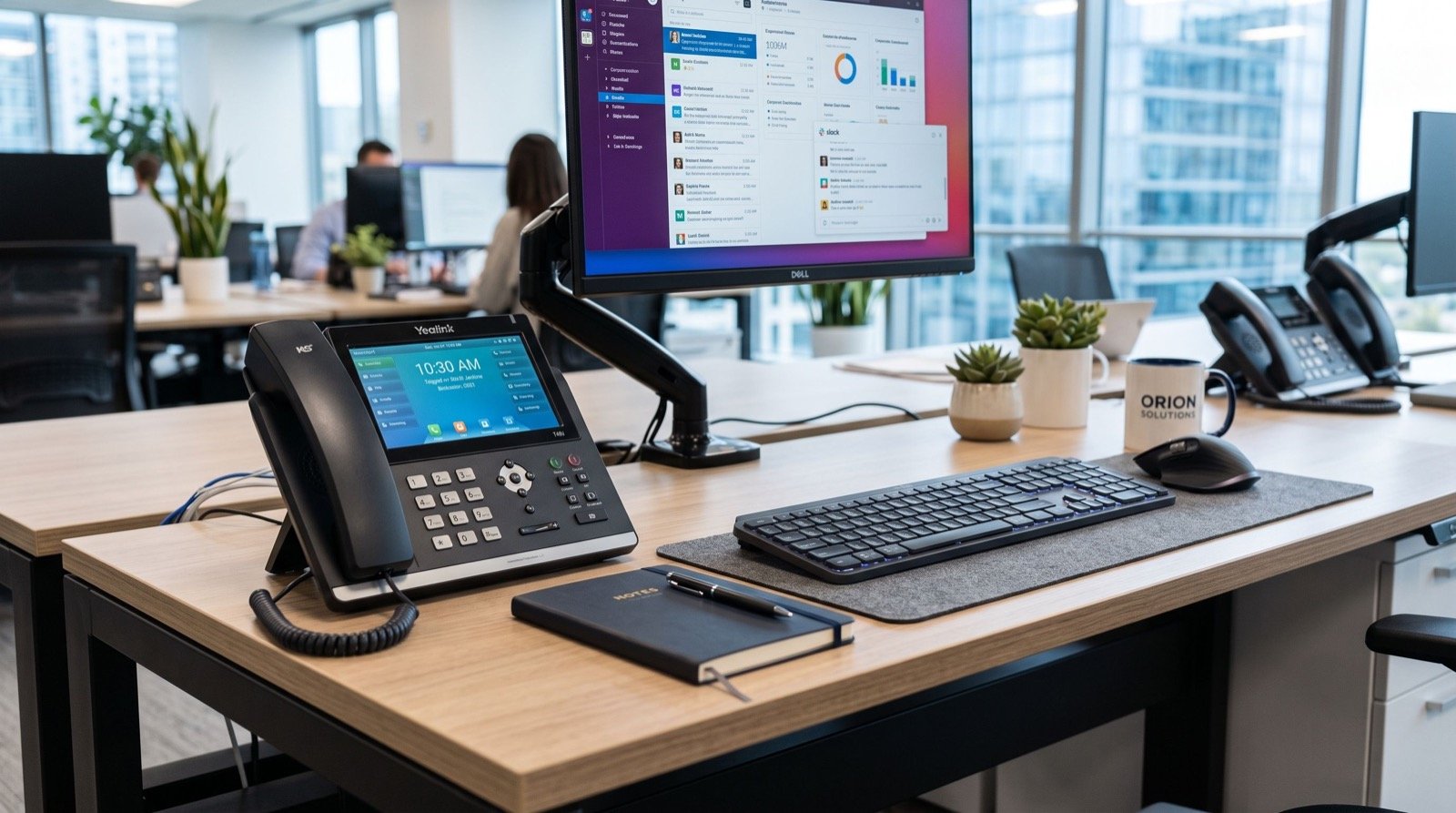
Business IP Phones in Pakistan: The Complete 2026 Buyer’s Guide
Choosing the right business IP phones in Pakistan is no longer a back-office decision — it directly affects how fast your team answers customers, how many calls you drop, and how much you spend on monthly line rental. As more Pakistani offices move away from copper landlines, understanding what a modern IP phone actually offers has become essential for owners, office managers, and IT staff alike.
This guide walks through why the shift is happening, what features actually matter, and how to pick a desk phone that fits your office size and budget in 2026.
Why Pakistani Businesses Are Switching to IP Phones in 2026
Internet-based calling has matured quickly over the last few years. Fibre and 4G/5G coverage across Karachi, Lahore, and Islamabad has made Voice over IP (VoIP) reliable enough for serious business use, not just casual calls. Three drivers stand out:
- Lower monthly cost — IP phones work over your existing internet connection, cutting PTCL line rental and long-distance charges.
- Easier scaling — adding a new employee often means adding a phone to the network, not running new copper wiring.
- Better call management — call transfer, hold music, voicemail-to-email, and call logs come built in, which old analogue sets never offered.
According to the Pakistan Telecommunication Authority (PTA), broadband and fibre penetration has climbed steadily across urban centres, which is precisely the infrastructure that makes office-wide IP telephony practical today.
Key Features to Check Before You Buy a Business IP Phone
Not every IP phone is built the same way. Before you commit budget to a batch order, confirm the handset supports the following:
- SIP protocol compliance — so it works with your chosen VoIP provider or PBX without vendor lock-in.
- PoE (Power over Ethernet) support — one cable for power and data simplifies desk setup and cable clutter.
- HD voice / wideband audio — noticeably clearer calls, especially important for sales and support teams.
- Multiple line keys — so receptionists and busy desks can manage several calls at once.
- Firmware update support — ongoing security patches matter as much on a phone as on a laptop.
Desk Phones vs Traditional Landlines: A Quick Comparison
| Factor | Traditional Landline | Business IP Phone |
|---|---|---|
| Setup | Requires physical copper line per extension | Runs over existing LAN/internet |
| Monthly cost | Per-line rental + long-distance charges | Bundled with internet; cheaper long-distance/VoIP rates |
| Scalability | New line = new wiring job | New extension = network configuration |
| Features | Basic hold/transfer | Voicemail-to-email, call logs, softphone sync, HD audio |
| Remote work | Not possible without forwarding | Extension can follow staff anywhere with internet |
Which IP Phone Fits Your Office Size?
Office needs vary widely, so matching the hardware to the role matters more than chasing the newest model. For a growing SME reception desk or a manager who juggles several lines a day, the Fanvil V61G Prime Business Phone is built for exactly that — multiple line keys, a clean colour display, and gigabit ports that keep call quality stable even on busier networks.
Larger enterprises and call-heavy departments need more headroom. That’s where the Fanvil X210 comes in — a high-end enterprise IP phone designed for organizations that need extensive line capacity, advanced call handling, and dependable performance across dozens of simultaneous extensions.
What Makes an IP Phone “Enterprise-Grade”?
This is one of the most common questions office managers ask once they start comparing models. An enterprise-grade IP phone typically combines higher call capacity, hardware built for continuous daily use, broader codec and security support, and compatibility with centralized provisioning so IT teams can manage hundreds of handsets from one dashboard rather than configuring each one manually.
The U.S. Federal Communications Commission’s guidance on VoIP notes that business-grade VoIP deployments should prioritize reliable power backup and network quality of service, since voice traffic is more sensitive to latency than regular data traffic. That single point is often what separates a smooth rollout from a frustrating one.
Setting Up Your New Office Communication System
Many companies upgrade their phone system at the same time they move premises, since it’s far easier to wire a new office correctly from day one than to retrofit later. If your business is relocating, working with an experienced local team for the physical move lets your IT staff focus entirely on getting the network and phone system right, rather than juggling boxes and cabling on the same day.
A practical rollout order looks like this: confirm internet bandwidth, install PoE switches, configure the PBX or hosted VoIP account, then deploy handsets desk by desk while testing call quality as you go.
Total Cost of Ownership: What to Budget For
Many owners compare only the sticker price of a handset and miss the bigger budget picture. A realistic total cost of ownership for business IP phones covers more than the device itself, and planning for all of it upfront avoids surprise expenses six months into the rollout.
- Hardware — the handsets themselves, priced per desk or per role.
- Network upgrades — PoE switches, cabling, and occasionally a bandwidth upgrade from your ISP.
- VoIP service or PBX licensing — monthly fees for call minutes, SIP trunks, or a hosted PBX subscription.
- Setup and configuration — either in-house IT time or a one-time integrator fee.
- Ongoing maintenance — firmware updates and the occasional handset replacement over a five- to seven-year lifecycle.
Most offices find that, once long-distance savings and reduced line rental are factored in, a well-planned IP phone rollout pays for itself within twelve to eighteen months compared with sticking on traditional landlines. That payback period shortens further for businesses that place frequent international or long-distance calls, since VoIP routing is typically far cheaper per minute than legacy carrier rates.
Frequently Asked Questions
Do business IP phones work if the internet goes down?
Not on their own. Most offices pair IP telephony with a backup internet connection or 4G failover router so calls can continue even during an outage, which is standard practice for any serious VoIP deployment in Pakistan.
Can I keep my existing phone numbers when switching to IP phones?
In most cases yes, through a process called number porting, handled by your VoIP or PTCL-registered provider. It typically takes a few business days and causes little to no service interruption.
How many IP phones can run on a standard office network?
A properly configured gigabit network with PoE switches can comfortably support dozens to hundreds of handsets, depending on available bandwidth and whether the network is segmented for voice traffic using VLANs.
Is it expensive to maintain business IP phones long-term?
Generally no. Maintenance is largely firmware updates and occasional hardware refreshes every five to seven years, which is far less disruptive than maintaining ageing copper wiring across a building.
Conclusion
Business IP phones in Pakistan have moved from a “nice to have” to a practical necessity for any office that wants lower costs, easier scaling, and features that actually help staff work faster. Whether you’re outfitting a single reception desk or an entire enterprise floor, matching the handset to the role — and planning the network before the hardware arrives — is what makes the switch to IP telephony pay off in 2026 and beyond.